
Your practice and every vendor around it, working from one set of records.
Jubilee Health is Workflows as a Service for medical practices. It reads the systems you already run - your EMR, your accounting system, payroll - and gives the practice, its accounting firm, its MSO, its IT provider and its billing company each a view of the same records. Nothing is re-keyed between them, and every number can show you where it came from.
How it works
Not another system to maintain.
Jubilee Health does not replace your EMR, your books or your payroll. It reads them. Your team keeps working where it already works; the operating picture stays current from the same exports and connections your practice already produces.
- Connect QuickBooks Online, or upload the exports your EMR and payroll already generate
- Ingest checks arrive with counts, coverage and freshness - a bad file is named, never silently absorbed
- The dashboard reads back what your systems said, with the source and as-of date on every figure
Five views, one set of records
The practice and the vendors around it, on the same records.
Each signs in to a view of its own, and all five work the same rows - the request the firm sends is the request the practice answers, and the ticket the IT provider works is the one the practice raised.
Own your numbers without becoming an analyst.
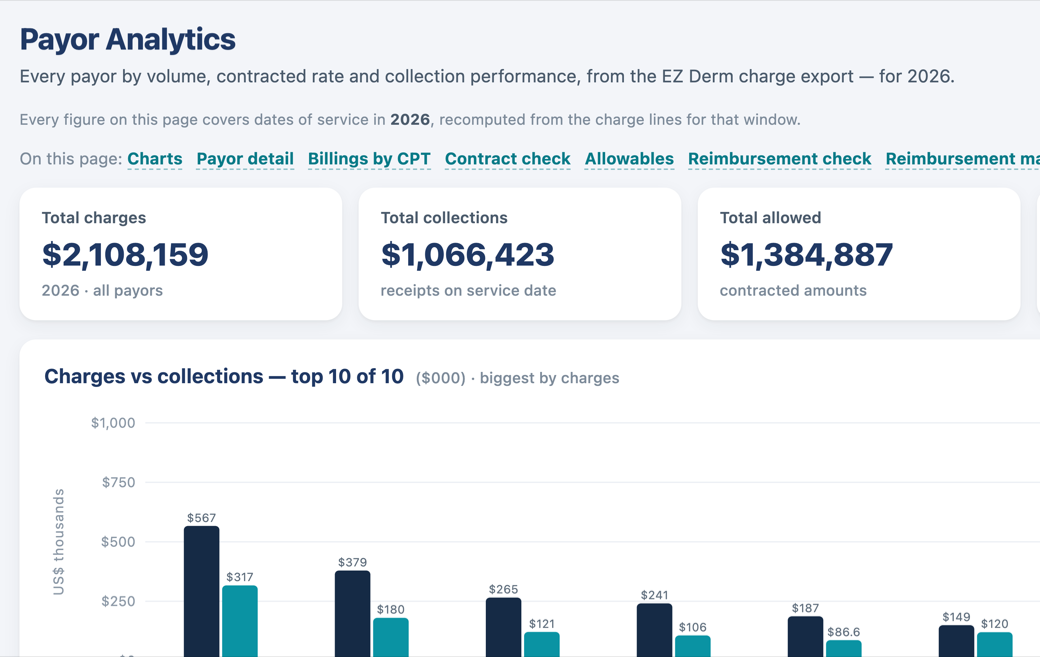
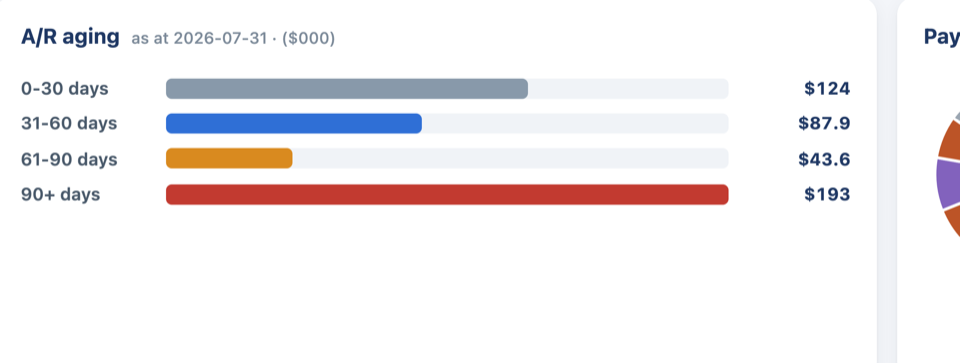
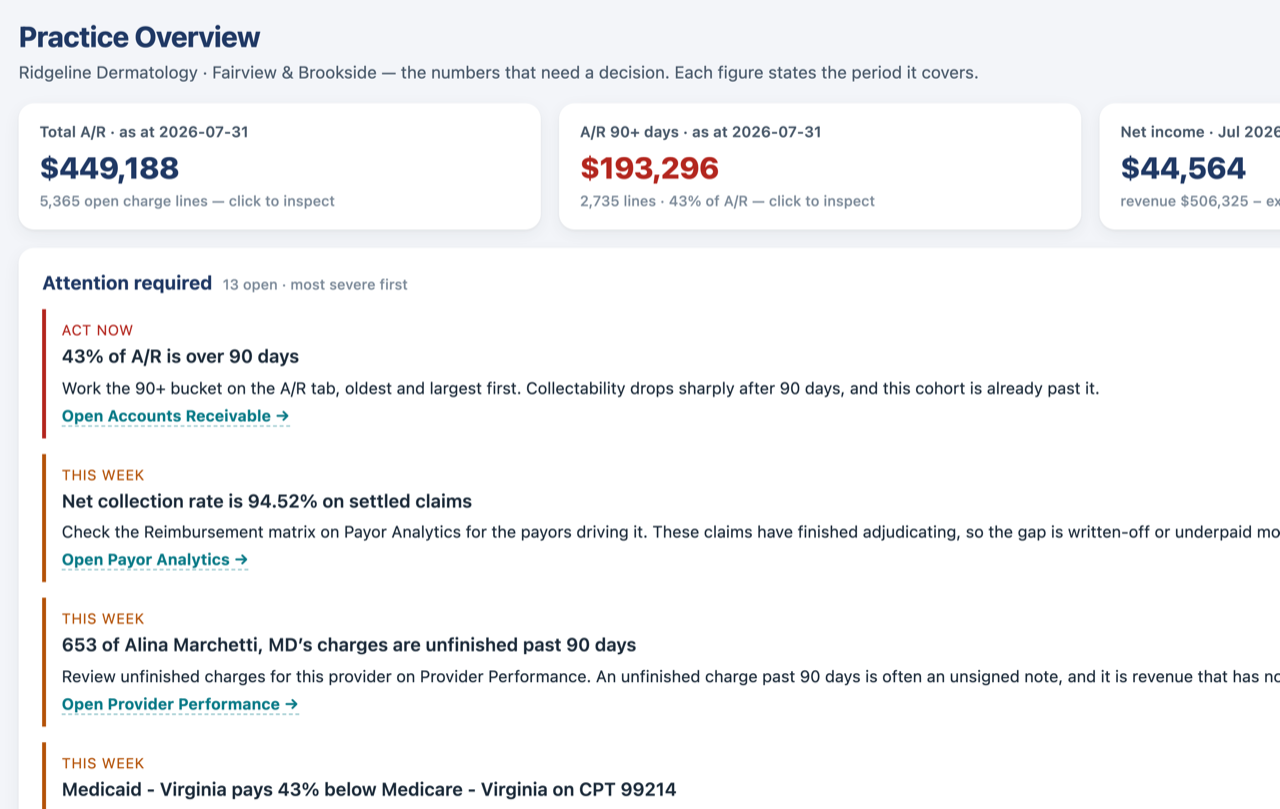
- Collections, A/R and payor performance in one place, current to the last export
- An A/R workqueue that drafts the follow-up and waits for your approval - nothing sends itself
- Your accounting firm works the same records you see, so month-end stops being a mystery
- You decide who sees your books: invite your firm or your MSO, approve a request, or end access
Sign in to the practice view →
Every client practice, one workspace.
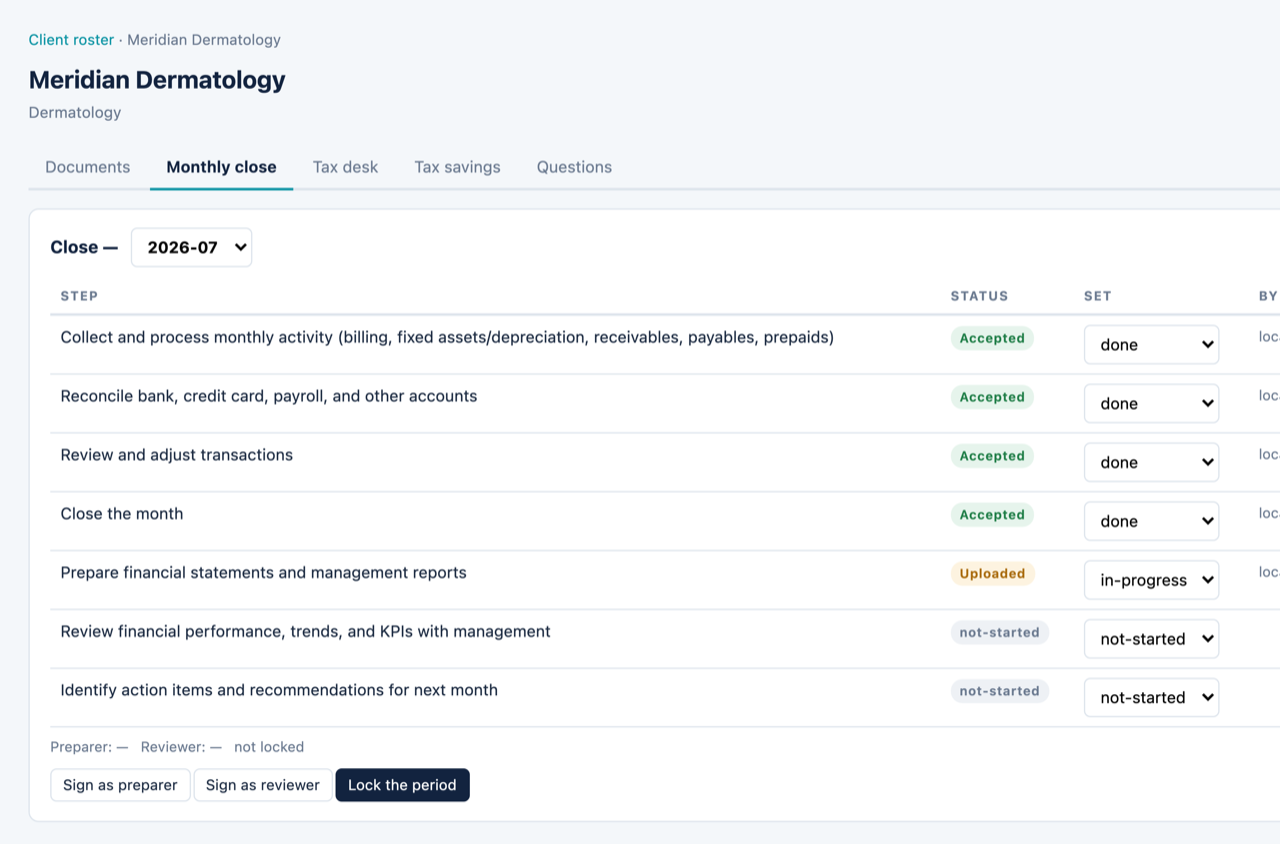
- A client roster, a cross-client document queue and a deadline calendar
- Month-end close with preparer and reviewer sign-off, and a tax desk for estimates, filings and notices
- Each client's accounts mapped to one standard chart of accounts
- Add a client, or ask for access to a practice already on the platform - the practice approves
Sign in to the firm view →
Every practice on the same basis.
- One row per member practice, on the same basis as the practice's own overview, with a 12-month trend
- A side-by-side compare on one standard chart of accounts, so different ledgers line up
- Patient-level figures only for members that have recorded a BAA with you - the rest stay de-identified
Sign in to the MSO view →
Your clients' IT, worked from their own records.
- A roster of client practices with onboarding status, open requests and open advisories, and a worklist across all of them
- A two-way message channel the practice reads on its own IT tab, with alerts that post themselves when a workstream stalls or a request goes unanswered
- A service request the practice raises can be pushed into your own ticketing system, with the reference recorded on the request
- No figure from the books, no patient, no schedule - the view holds none of it, so no agreement is needed to open it
Sign in to the IT view →
The billing you do, tied out to the money that arrived.
- A monthly billing close, and a tie-out from payments to deposits to remittances
- An exceptions engine, and a weekly brief for the practice that names what needs a decision
- Per-FTE benchmarks across the practices you bill for
- Claim-level rows only where the practice has recorded its agreement with you; everything above that line stays aggregate
Sign in to the billing view →
The network
Each side can bring in the others.
A practice invites its accounting firm or its MSO. A firm adds a client or asks for access, and so does an MSO. Whoever starts it, the practice approves it, and the invitation says what the other side will and will not see before anyone signs in.
No connection carries a charge. A practice that a firm or an MSO adds starts on the free Practice Portal, so a firm can bring its clients across without asking any of them to buy anything.
Five views, one set of records →What's inside
The modules, briefly.
Analytics & financials
Financial statements, expense drill-downs and provider productivity, read from your books.
Learn more →Revenue, A/R & payors
Collections against charges, an A/R workqueue, and what each payor allowed on your claims.
Learn more →Accounting & tax
A shared workspace for you and your accounting firm - requests, close, estimates, notices and one standard chart of accounts.
Learn more →Portfolio view
Every member practice on one basis: a portfolio, a readiness rollup and a compare on the standard chart.
Learn more →Integrations
QuickBooks Online, EMR exports and Gusto payroll - only what we read today.
Learn more →Security
Fail-closed access, an append-only audit trail, and a BAA before any PHI connects.
Learn more →The grounding rule
Every number can show its work.
Dashboards fail when nobody trusts the figures. In Jubilee Health, each figure carries its source - which file, which pull, as of when - and clicking an aggregate opens exactly the records it counted. When something is not known yet, the dashboard says so instead of showing a zero.
That standard applies to the AI, too. Recommendations cite the records behind them, drafts wait for a person to approve them, and anything the model writes is labeled as drafted, never passed off as measured.
As of Jul 31 · demonstration data
Drill opens the 4,212 payment lines this figure counts
Where it comes from
Built on a real practice, with its accounting firm at the table.
Jubilee Health was not designed in a vacuum. It runs a real dermatology practice's operations - years of its books, its charge history, its payroll - and the accounting side is built to its accounting firm's written month-end and tax workflow. The features exist because the practice needed them.
We publish no customer names or testimonials without written consent, and no statistics we cannot source. When we have both, they will appear here.
- Live daily on a real practice's real books - not a pilot dataset
- The accounting workspace follows a real accounting firm's written workflow, from document requests through the tax calendar
- Screenshots on this site come from a demonstration environment with synthetic data, never from a patient-bearing system
Security
Health-care data, treated like it.
Access is deny-by-default and role-scoped per practice. Sign-ins require a second factor. Every access decision lands in an append-only audit trail. And no PHI-bearing source can connect to a practice before a Business Associate Agreement is executed - the platform enforces the gate, not a policy document.
How we handle data →- Deny-by-default authorization, scoped per practice and per role
- Mandatory second factor on password sign-ins
- Append-only audit trail on every access decision
- BAA execution gates any PHI-bearing connection
See your practice the way Jubilee Health reads it.
A short call. Your questions, our real product - no slideware.
Book a demo